Saturday, September 26, 2009

Homecoming 2009


Last weekend (September 19) was Jessica's last high school homecoming dance. They had a group of 47 kids all eat dinner at Jessica's boyfriend Brandon's house. I was on hand to help out with the festivities. The kids all looked so good. The boys were handsome and the girls so grown up and just down right gorgeous.

Jessica went to the hair salon to have her hair done. After the stylist finished her hair she said "Jessica, I just think something is missing." She literally ran next door to the Dollar Store and bought the beautiful silk orchids that matched her dress perfectly.

Dinner was catered by Moe's and I must say it was delicious. The kids all enjoyed themselves and the rain cleared up just before they got there. It was a great evening for all.

Hope you enjoy the photos. Some of them have the Perfect Portrait PSE action downloaded from the CoffeeShop blog. Check them out if you like the effect on the portraits.
Jessica and her boyfriend, Brandon
Brandon, Jessica, Jaime and Tyler
Brandon, Jessica, co-cheer captian Danielle and Clay

Majority of the girls in the group (missing Paige)
Whitney, Taylor, Jessica and Paige


Thursday, September 24, 2009

Photoshop Elements Actions

Photoshop Elements has got to be one of the best pieces of photo editing software out there. Many times I've considered upgrading to the full Photoshop version, but just can't justify spending $600 or more on a piece of software. Well today, I've finally decided that I don't need to have the expensive version. My Photoshop Elements User Magazine came in the mail today. On the cover was the title "Action Central". That grabbed my attention right away. Having read about actions on various web sites I was very curious. While I could find free actions on websites the mystery still remained on how to use them, but most of all how to load them. This article solved both those issues.

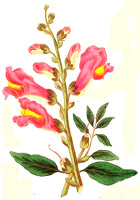
Check out the photo below using the Orb action downloaded for free from the PSEU website. Additionally, the website provided several links to free actions and tutorials on how to use them. The Texas Chics Blogs and Pics had an awesome tutorial. Click here to access the site with great instructions on loading and using actions. Honestly the orb action took 2 seconds to convert the flower photo into a cool orb.

I'm off to try some more actions. I'm officially hooked.


Saturday, September 12, 2009

Butterfly Pictures

In my email inbox the other day I received a newsletter about photographing butterflies. You need to shoot them in jpeg format (not RAW) and use a fast shutter speed. On Saturday Meghan saw this beautiful butterfly while sitting on the deck and told me to get my camera. I was very fortunate that the butterfly hung around and let me take his photo. It gave me an opportunity to put the tips from that email newsletter into practice. Sure hope you enjoy these pics.

"Just when the caterpillar thought the world was over, it became a butterfly."


Wednesday, August 19, 2009

More digital scrapping

Hi All,

Tonight in my digital class I learned how to apply a hand tint feature to a photo. The photo below is of Noah at Line Creek playing with a rock. He loves rocks and that day he had a pine cone as well. I just loved the softness of the hand tint look.

Since I was on a roll with editing photos I decided to do a search on word art. I found this beautiful beach quote and thought it would look really nice with an ocean photo background. I've also added a digital frame and will print this out and frame it for my photo wall or to put in the guest bedroom. Hope you enjoy my latest creations.


Sunday, August 9, 2009

Here it is!

The other night during my digital brushes class, I was perusing the class gallery. I came across this awesome quote by Dr. Suess that someone had done a digital layout to frame and put up in their classroom. Since Nichole will be teaching first grade this year I thought it would be perfect for her to use in her room as well. While I was able to duplicate much of it, I did a different collage of brushes than what the original artist had done. I can't take credit for much of the design, but it sure was fun to do. Can't wait to see it printed and framed.


Wednesday, August 5, 2009

Digital Elements

Okay, I think I'm officially hooked on digital scrapbooking and PSE. Because I had so much fun with the free Photoshop Elements class I took last week, I decided to sign up for another class. This one was not free, but I figured for $25 it was worth a try. Boy am I obsessed. Every night I rush home from work, get whatever for dinner and then plop myself down in front of my computer for some PSE fun.

This new class is concentrating solely on using the brush tool. This is my favorite Elements tool and I've loved using it. But I was only scratching the surface by "stamping" an image onto my photograph and adjusting the opacity or only applying part of the brush to the image.

What I learned in tonight's class is that you can load a brush into your eraser tool. We used this to create a grunge or sanding effect on our digital element. It is such an awesome technique. Below is the project that I made using the eraser tool after building the element from scratch. It is saved as a png file so that you can put it on a digital scrapbook page or print it out and cut it from paper also. Very versitile and fun. Don't be surprised if you see this again in the next few weeks on one of my family photos.

Sunday, August 2, 2009

Ready For More Textures?

As I mentioned a few posts back, one of the best digital scrapbookers, Jessica Sprague recently offered a free digital photo editing class. Lesson 5 was applying textures to photos. In the lesson there were links to several different sites offering many free textures. Some of the textures on the free sites are so awesome. It opens a whole new world in photo editing when you use textures. While I've tried my hand at using one texture on a photo, I've never tried 3 at one time. Shown below is the before and after of a unique tree that was in the water at Lake LBJ when we were there in July. I applied 3 textures and used the blending mode of soft light on each layer. After adding all the layers, I applied a free frame from Jessica Sprague for the finishing touch. Hope you like it.